
YOUR NEXT WORDPRESS WEBSITE
Your website.
Built on WordPress.
Thoughtful design. Practical development. A website your team can manage.
New websites·Redesigns·WooCommerce
Try a layout. Change its style.
Good ideas.
Beautifully
put together.
A clear story, thoughtfully presented.
Explore the studio +Everyday objects.
A little more considered.
Stories worth
spending time with.
Articles, categories and a structure your readers can explore.
Find your next read +01 / CONTENT. DESIGN. DEVELOPMENT.
WordPress Website Development – Boost Your Web Presence With Our Innovative Approach
Be it a simple blogging platform or professional business website, WordPress makes it easier for business owners to build a high-functional website with advanced customization options. When it comes to WordPress site design, we have left no page unturned to provide all clients with end-to-end solutions to achieve success. Our WordPress web developers hold extensive knowledge in incorporating content, multimedia, product images, and any kind of data with perfection.

PLAN THE FOUNDATION FIRST
Extra functionality, chosen against the brief.
BUILD WITH INTENT
Advanced themes, modules & plugins for your WordPress website
At eSearch Logix, we provide advanced WordPress website development solutions starting from conceptualization to research, planning, design, development, data migration, and testing. We deliver custom web development services for start-ups, small-scale, mid-sized and large-scale organizations. We integrate stunning theme, modules, and plugins to make your WordPress website look visually appealing and impressive. We believe in using themes that can help to build a positive image of your brand and grab the attention of as many customers as possible.
Start with the site’s requirements, then choose the theme, editor and integrations that fit. More plugins do not automatically mean a better website.
02 / A SCOPE THAT FITS YOUR SITE
Our Comprehensive WordPress CMS Website Development Services
From an editorial website to a store or a more tailored content system, define what your visitors and editors need to do.
01
Online Store
Plan a WooCommerce store around your catalogue, product information and checkout journey. Confirm payment, shipping, tax and order-management requirements before choosing extensions.
02
Blog Customization
Create clear post layouts, categories, archives and a publishing workflow for the people managing your content. Agree reusable components and the parts editors can change.
03
PSD Conversion
Turn approved design files, including existing PSD designs, into responsive WordPress layouts. Confirm the mobile behaviour, fonts, assets and interactions rather than treating a design as a single fixed screen.
04
Plugins
Connect the features the website needs through suitable plugins or scoped custom work. Review compatibility, licence ownership, renewals and overlap before adding more tools.
05
CMS
Structure pages, posts, media and any custom content types so the site is understandable to visitors and manageable for editors. Agree roles, permissions and the content you need to maintain.
06
Customization
Adapt the theme, templates and functionality to the brief. Define what belongs in reusable layouts, what requires custom development and how future changes will be supported.
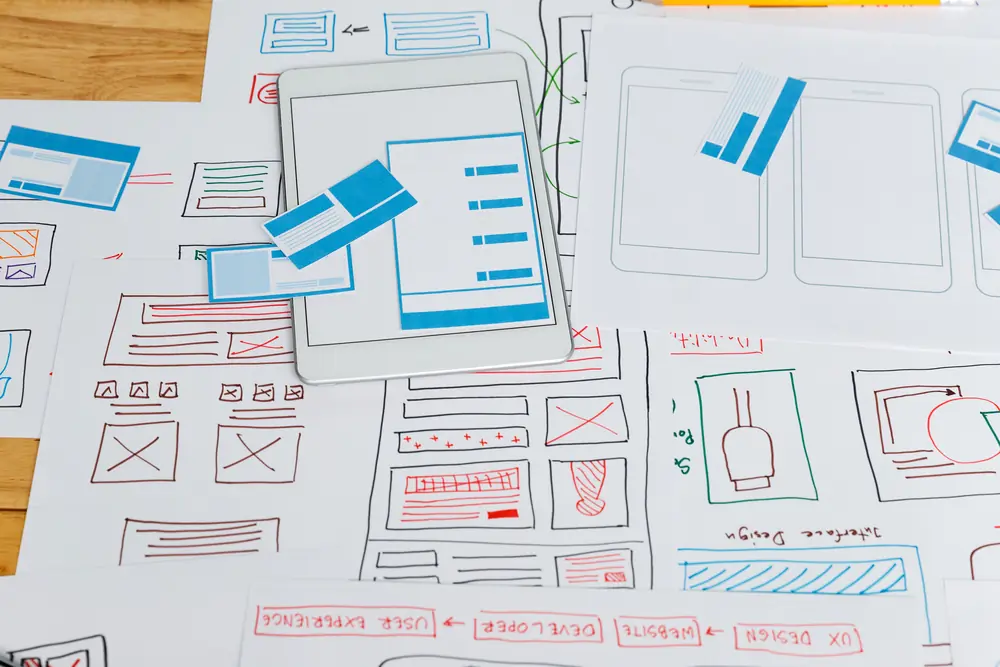
DESIGN THE STRUCTURE. THEN THE DETAILS.
Reusable pages.
A consistent experience.
Plan the page types, content relationships and responsive layouts together. Agree which parts your editors can change and which need design or development support.
03 / MAKE THE NEXT EDIT EASIER
Think about the editor
as well as the visitor.
The content structure should support the people using it after launch. Agree who changes what, which layouts can be reused and how permissions are managed.
W
A CLEAR CONTENT MODEL
Pages & posts
Service pages, articles, media and structured content.
Reusable patterns
Layouts and components with consistent presentation.
Roles & handover
Editing access, guidance and clear responsibilities.
Illustrative content model · the final setup depends on scope.
04 / CHOOSE THE TOOL FOR THE JOB
Some of the popular
plugins we integrate
Understand each tool’s role before choosing a stack. These are options from the existing service page, not a list installed on every project.
Confirm features, compatibility, paid plans and renewal ownership. Avoid overlapping builders or SEO tools without a defined reason.
GF
Forms & workflows
Gravity Forms
Build structured enquiry and other forms, with conditional logic or integrations where needed.
Before choosingConfirm the licence tier, add-ons, delivery setup and data handling for your requirements.
Y
SEO configuration
Yoast SEO
Support metadata, XML sitemaps, canonical settings and structured-data configuration.
Before choosingUse one agreed SEO setup. A plugin does not guarantee rankings or rich results.
E
Visual page building
Elementor
Maintain or build visual layouts where Elementor is the chosen editing system.
Before choosingCheck the exact plan for forms, popups and theme features. Avoid installing a second builder without a clear need.
D
Theme & visual builder
Divi
Use Divi’s visual design tools and theme-building features when the project calls for that ecosystem.
Before choosingReview the existing layouts, licence and migration implications before changing the editing system.
woo
Online stores
WooCommerce
Add products, shopping, checkout and order-management functionality to WordPress.
Before choosingPayment options depend on the provider and business location. WooPayments availability is not limited to the US.
WPML
Multilingual content
WPML
Manage translated content and language-specific publishing where multilingual functionality is required.
Before choosingCheck theme and plugin compatibility, translation ownership and the ongoing content workflow.
05 / FROM THE BRIEF TO THE BUILD
A shared plan.
A visible process.
Agree the deliverables, dependencies and review stages before development begins.
01
Discover
Review goals, users, current content, hosting, integrations and the people who will manage the site.
02
Plan & design
Agree the page structure, content model, responsive layouts and the editing approach before building.
03
Build & integrate
Implement the approved templates and features, keeping the theme, core blocks and extra tools clearly defined.
04
Test & migrate
Review key journeys and devices, test integrations and plan content, URL and data migration where required.
05
Launch & hand over
Confirm access, backups, editing guidance, support scope and responsibility for ongoing updates.
OUR WORDPRESS WEB DESIGN & DEVELOPMENT SERVICES
Useful checks.
Before you launch.
Responsive layouts, performance and security practices need a defined scope and review process.

WordPress Theme Development & Integration
Agree the theme approach and reusable page templates. Keep the brand presentation consistent and define what your team can edit.
WordPress Website Performance Modulation
Review hosting, page assets, caching and the journeys people use. Establish a baseline and testing scope; a perfect score is not promised.
WordPress Module Development & Plugin Integration
Choose features against the brief, check compatibility and document why each plugin or custom module is required.
Security
Discuss access controls, updates, backups and recovery responsibilities. Security is an ongoing practice, not a guarantee against every incident.
WordPress Site Maintenance & Support
Confirm support duration, update responsibilities, licence renewals, response expectations and what counts as a new feature.
WordPress provides guidance on reviewing site health, hardening a site and preparing backups. Confirm how those responsibilities apply to your website.
06 / OWNERSHIP WITHOUT GUESSWORK
What happens
after “go live”?
A useful proposal explains the handover and the ongoing costs as clearly as the build.
01
Ownership & access
Confirm the domain, hosting, admin accounts, code and design assets your business should control.
02
Licences & renewals
List premium themes, plugins and third-party subscriptions, including who owns and renews each one.
03
Backup & recovery
Agree what is backed up, where copies are kept, and who is responsible for restoring a working site.
04
Care & support
Define updates, monitoring, support coverage and the difference between maintenance and a new feature.
Replacing an existing WordPress site?
Plan content and URL mapping, redirects where needed, integration checks and a rollback approach. Review the new site after launch; no migration can promise unchanged search rankings.
07 / KNOW THE COMPANY BEHIND THE WORK
Experience you can explore.
People you can identify.


HISTORICAL AGENCY RECOGNITION
Clutch Champion 2023
Recognition retained from the current page. It is not a WordPress certification or a project performance claim.
Portfolio work spans website services; no unverified WordPress project result is presented here.
08 / WORDPRESS, EXPLAINED CLEARLY
Questions before
you commit.
Editing, migration, costs and the details to put in the proposal.
Can you redesign or rebuild an existing WordPress website?+
Yes—the service scope includes customization, themes, migration and testing. Start with a review of the existing content, theme, builder, plugins and integrations. Agree what can be retained and what needs replacing before estimating the work.
Will I be able to edit the website myself?+
Agree the parts you need to manage: text, images, pages, products or structured content. WordPress offers a native block editor; an existing visual builder may also be part of your site. The chosen setup, editing permissions and handover guidance should be specified before the build.
Do we need Elementor, Divi and lots of add-ons?+
No single collection of plugins is appropriate for every site. Choose an editing approach and add features for an identified need. An existing builder should be reviewed before removal because pages or templates may depend on it. The plugin guide above describes options, not a list installed on every project.
Can a migration preserve our existing SEO work?+
Plan the content and URL mapping, redirects where URLs change, metadata, internal links, tracking and indexing checks. Keep a record of the old site and verify the new one after launch. A migration plan can reduce avoidable errors, but no provider can guarantee unchanged rankings or traffic.
How much does WordPress development cost, and how long does it take?+
The estimate depends on the page and template count, design complexity, content readiness, integrations, migration, testing and review stages. Share the requirements first and ask for a proposal with deliverables, assumptions, dependencies and a process for scope changes. This page does not promise a fixed price or deadline.
Are hosting, premium plugins and maintenance included?+
Confirm them separately in the proposal. Identify who owns the domain, hosting and licences; which subscriptions renew; and who pays third-party costs. Agree whether updates, backups, monitoring and post-launch changes are included, and for how long.
Can you build a WooCommerce or multilingual website?+
The current service scope includes online stores and plugin integration. For a store, discuss products, checkout, payments, shipping, tax and operations. For multilingual content, discuss languages, translation ownership and plugin compatibility. Integrations and licences should be chosen for the agreed requirements.
What should we receive at handover?+
Agree access to the relevant hosting, WordPress administration, code and design assets; an inventory of plugins and licence responsibilities; editing guidance; and the backup or recovery arrangements. Confirm the support contact, coverage and ongoing responsibilities in writing.
LET’S GET STARTED WITH US
Looking for WordPress website design in India? Connect with us now!
You can hire our WordPress developers to build WordPress e-commerce stores, Learning Management System (LMS), brochures, job portals and whatever you can think of. Our main approach is to create mobile-friendly platforms that deliver an exceptional experience to the users.
Bring the brief.
Let’s clarify the scope.
Share your current website, the pages or features you need and who will manage the content.